

Documentation
The header.
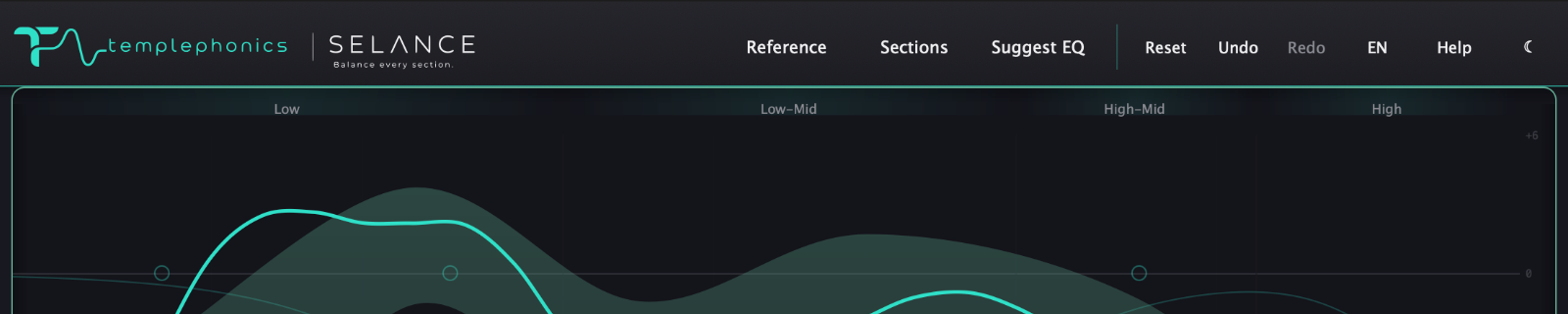
The session-wide controls: reset, history, the Reference menu, the Sections panels, Suggest EQ, Help, language and theme.
Reset
Opens a small menu with three options. Reset All restores the EQ, the meters, the target and the EQ of every section; Reset EQ clears only the EQ and the meters; Reset Target sets the genre to None and deactivates the references. Your reference library is never touched.
Undo & Redo
Internal history, Melodyne-style. Undo is Cmd+Z and Redo is Cmd+Shift+Z (Ctrl on Windows) while the plugin window has keyboard focus. It covers every EQ change and every section edit, and it does not hook the DAW's own undo — the two stay independent.
Reference
A dropdown menu that picks the global target straight from the header — a genre (None, Rock, Electronic) or any reference from My References. It is the same choice you can make in the Target panel, one click away.
Sections
A single button that opens or closes the Target and Sections panels together — the target column on the right and the section timeline below. This is where you choose what you are aiming at and how the song is divided.
Suggest EQ
The same Suggest EQ that lives in the Target panel, available from the header. It reads the balance against the active target and proposes the EQ moves as ghost nodes; a small menu then lets you Apply or Discard the whole suggestion — it never acts on its own.
Help
Turns guided help on and off. With it on, hover any control and a short explanation appears at the top right of the graph — title, description and step-by-step, in the language you have selected.
Language
Switches the whole plugin between English and Spanish. It is a manual choice and it affects every label, tooltip and guided help text.
Theme
Switches the whole interface between dark and light. A look choice — it never touches the audio.
The listening and processing controls — Delta, Mono, Auto Gain and Blend with Target — live at the bottom edge of the plugin, always visible even with the panels closed, next to the Speed control for the live curve. The full detail is in the Listening tools module.