Section-aware analysis
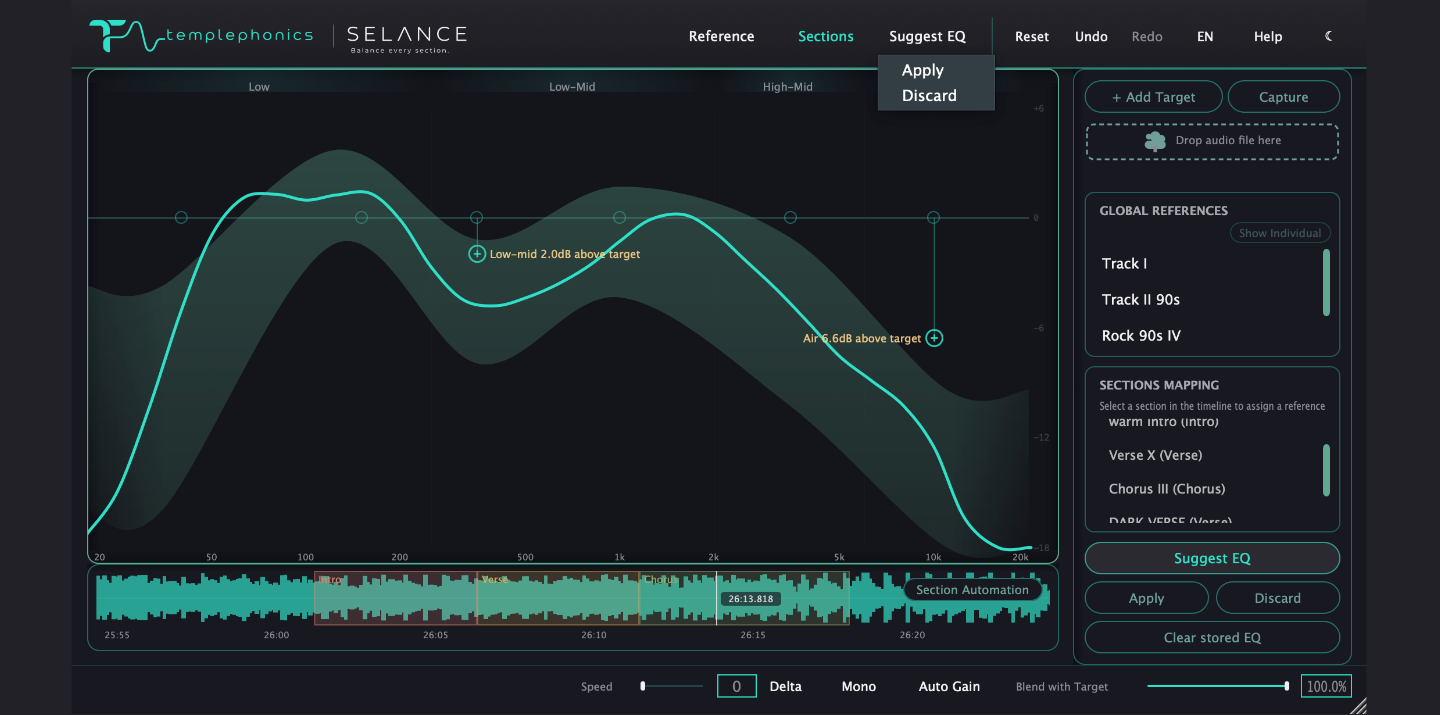
You define the sections — intro, verse, chorus or any custom name — and each one can carry its own target and tonal balance measurement, not just the whole track.



SELANCE reads your master section by section — tonal balance against a reference — and shows you exactly what every part needs. One plugin, every decision in view.
macOS available now · Windows coming soon · VST3 · AU · AAX · Native Apple Silicon
Features
You define the sections — intro, verse, chorus or any custom name — and each one can carry its own target and tonal balance measurement, not just the whole track.
Six bands with Bell, Shelf, HP/LP and Notch shapes, adjustable slope, dynamic EQ and per-band Mid/Side — all on a single graph.
Compare against built-in genre curves or your own reference library — catalog references by section, or capture a part of your mix you love and use it as a section target. Blend toward the target until it sounds right.
Solo any band, hear exactly what your EQ adds with Delta, check mono compatibility and compensate perceived loudness with Auto Gain.
Workflow
Pick a genre curve or use your own tracks. Drag and drop files or folders, or capture a reference live by soloing a track in your DAW — up to seven active references blend into one target zone.
One graph compares your master to the target zone in relative dB, so level never skews the picture. Mark sections and watch the curve follow each part as it plays.
Suggest EQ reads the balance and proposes the moves that match your target — ghost nodes on the graph, previewed before anything touches the audio. Preview, then Apply or Discard the whole suggestion; it never acts on its own.
Six bands plus HPF/LPF on the same graph — bell, shelf, HP/LP and notch shapes, adjustable slope, dynamic EQ and per-band Mid/Side. Judge with Solo, Delta, Mono and Auto Gain.
Give each section its own target and EQ. Section Automation crossfades between them as the song plays, and per-section Suggest EQ handles the part that pulls off-balance.
SELANCE shapes EQ and tonal balance on the mix bus — clipper, limiter and loudness metering follow, on a signal that's already in balance.
Inside the plugin
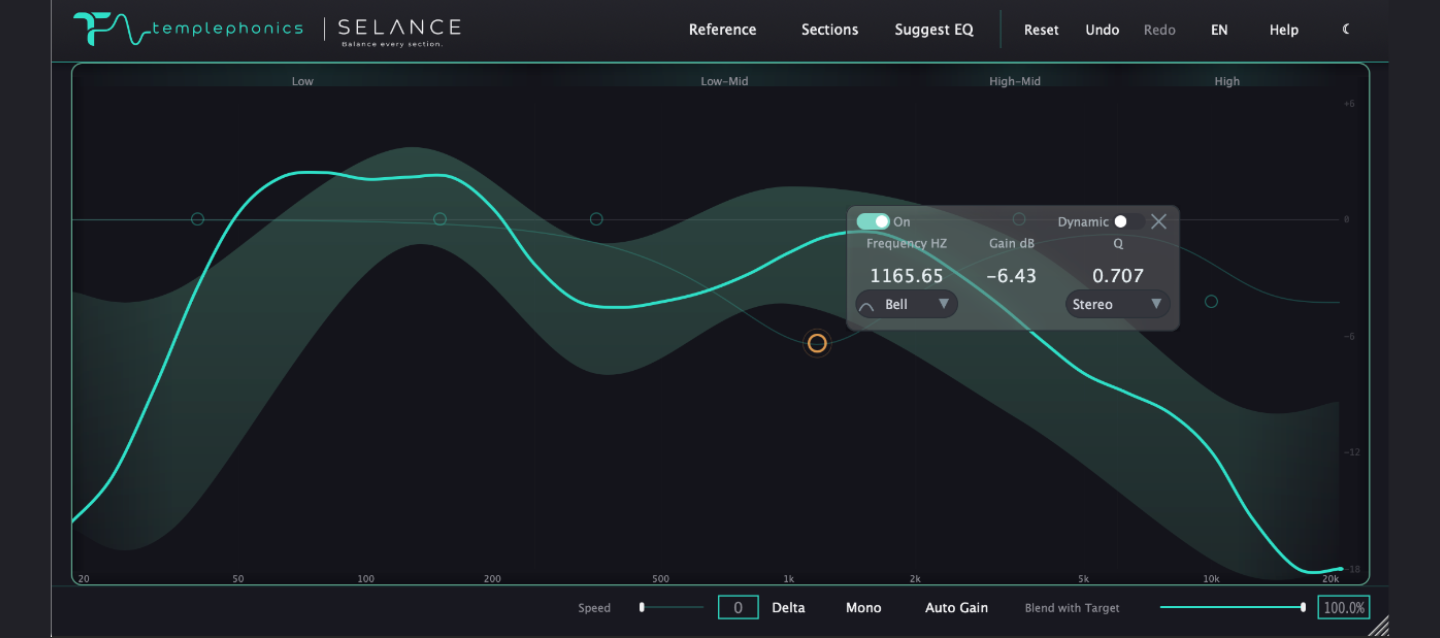
Your master's tonal balance measured against a genre target or your own reference library.
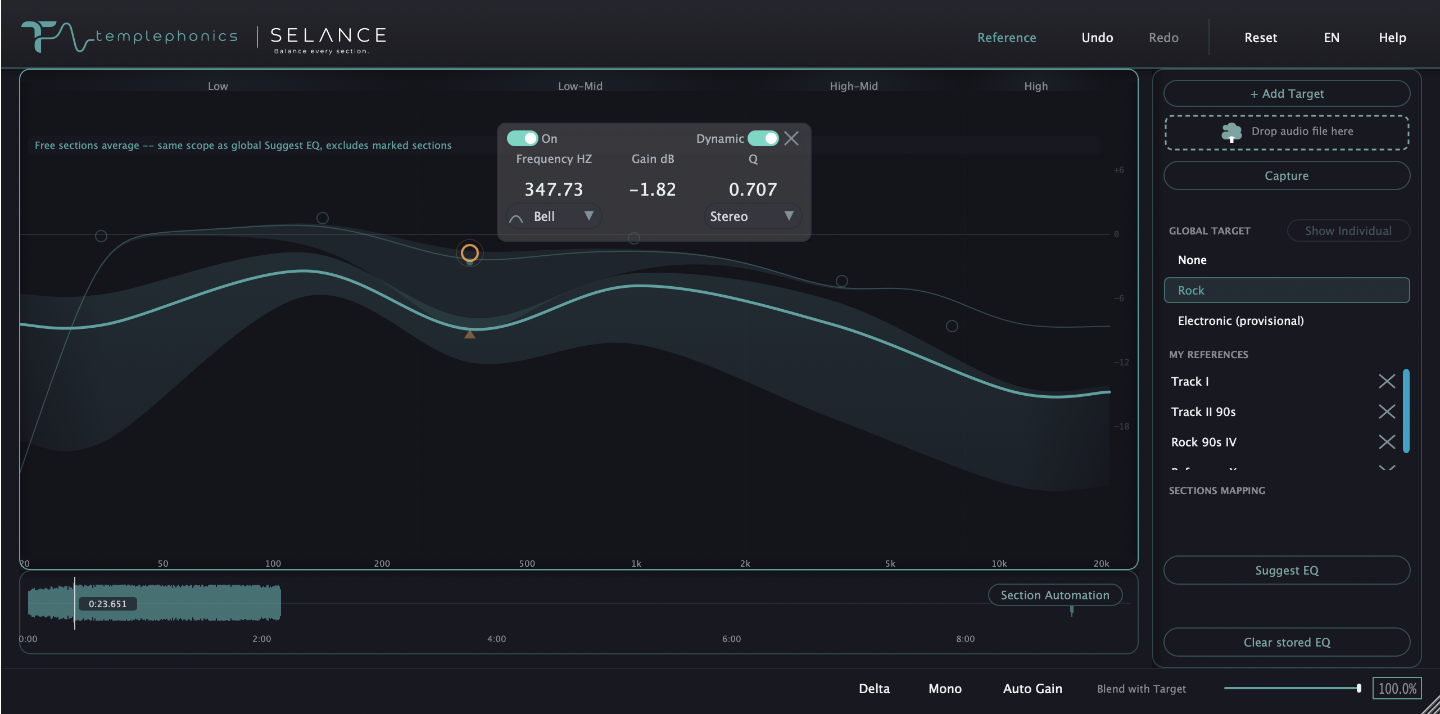
Bell, shelf, HP/LP and notch shapes with dynamic EQ and per-band Mid/Side on one graph.
A live timeline of your track, where each part gets its own analysis, reference and EQ state.
Why SELANCE
A master is rarely off-balance uniformly. You mark the sections that matter and shape each one against its own reference — otherwise that imbalance is lost in the whole-track average.
No magic buttons, no guesswork. You see the real measurements behind every move, so decisions stay informed, repeatable and honest to the mix.
Six tonal bands measured in relative dB against genre targets or your own reference library — so balance never depends on how loud the track is.
Sample-accurate processing, transparent internals and years of mastering experience distilled into one focused tool.
See it in action
FAQ
SELANCE is a section-aware mastering plugin. It analyzes the tonal balance of each section of your track against a reference, then lets you shape each one — in a single window.
Runs as VST3, Audio Unit and AAX. The plugin applies EQ and balance processing in real time inside your DAW — bouncing happens from your DAW, so you keep full control of your delivery chain.
Not yet. SELANCE is available now on macOS 11 and up — Windows support is coming soon.
Yes — macOS 11 and later, with full support for Apple Silicon and Intel, as a native Audio Unit, VST3 and AAX plugin.
Pricing is announced at launch. A fully functional trial will be available on day one, with no time-limited demos and no feature gating on evaluation.
One perpetual license per machine, covering both macOS and Windows — no subscription required. Every license includes free updates for the lifetime of the current version.