System audio capture
Whatever plays through your speakers or headphones — any app — is measured live, in stereo, at the device's native sample rate.


Products
A companion app that listens to any audio on your Mac and turns it into a tonal-balance reference for SELANCE.
SELANCE Capture · Reference curves
SELANCE Capture listens to your system audio — a playlist, a record, your DAW — and measures the tonal balance of whatever plays. Save it as a relative curve and it lands straight in SELANCE's My References, ready to target or assign to a section.
SELANCE Capture comes with SELANCE — there is no separate charge for it.
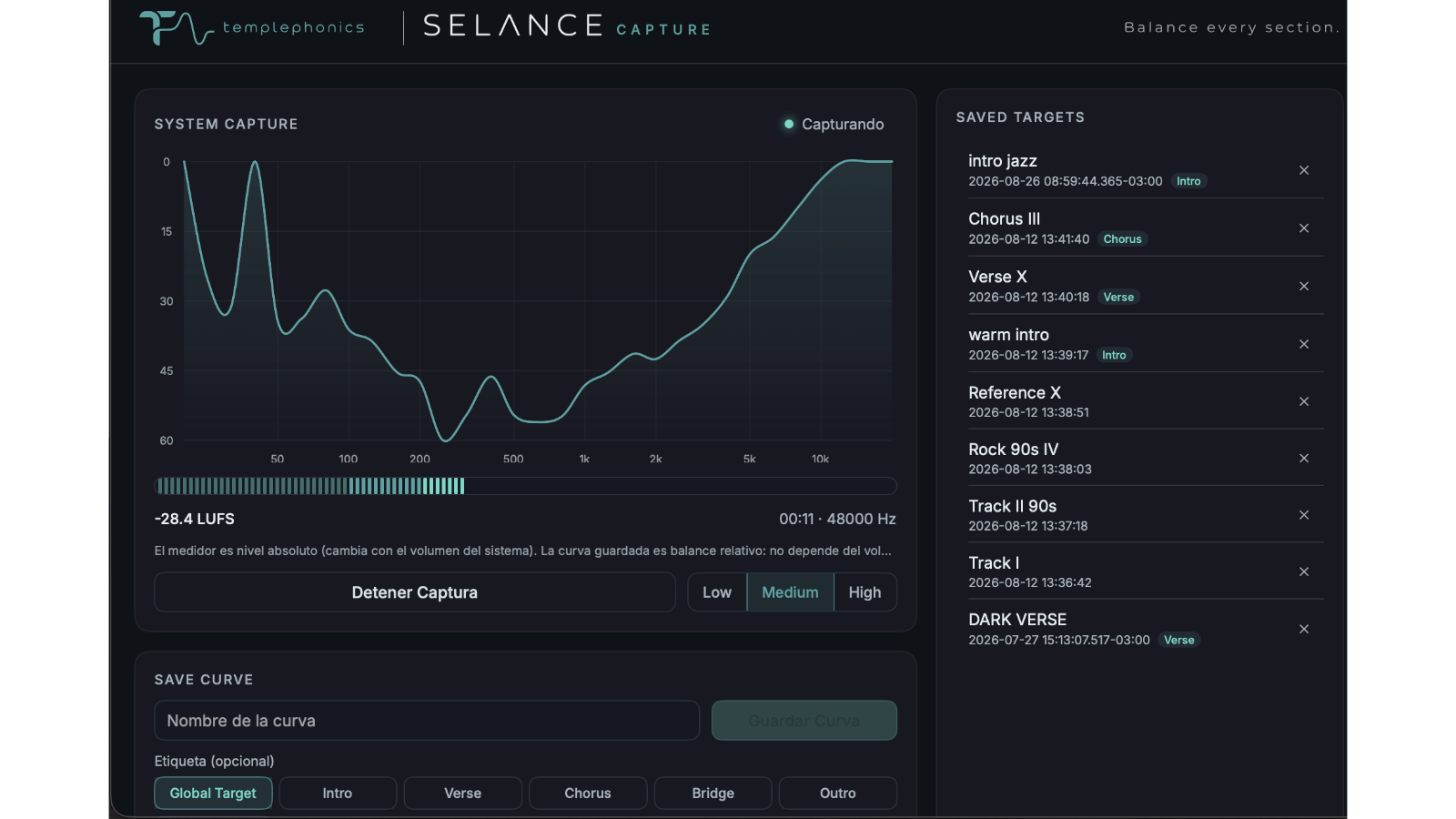
SELANCE Capture · Screenshots
The live tonal balance curve, loudness meter and capture controls in one screen.
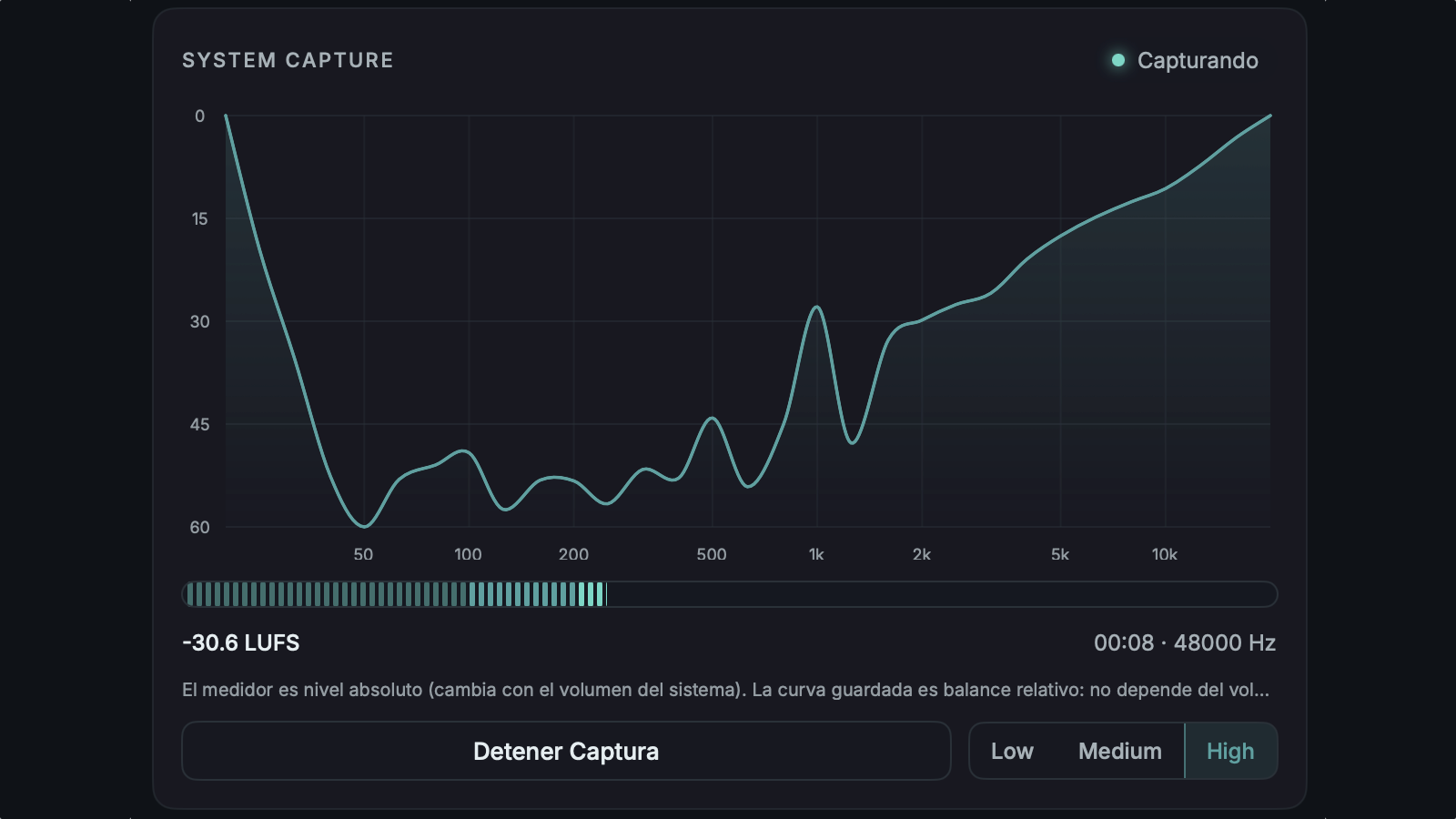
Thirty-one third-octave bands measured in real time as the audio plays.
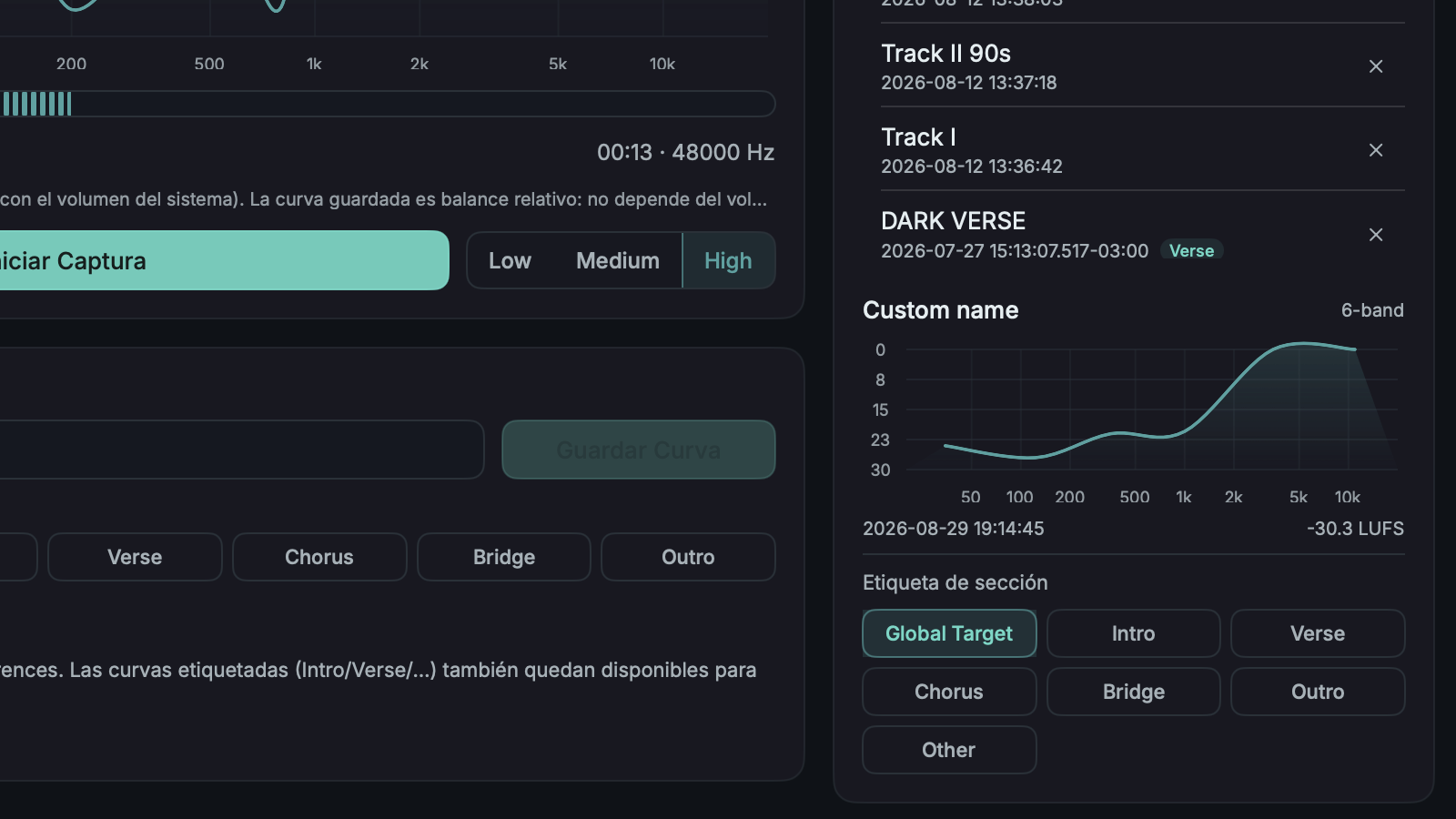
Review, re-tag or delete every reference you've saved, ready for SELANCE.
SELANCE Capture · Detail
Whatever plays through your speakers or headphones — any app — is measured live, in stereo, at the device's native sample rate.
Each band is expressed against the total energy of the capture, so the saved target never depends on how loud the system is.
A momentary LUFS meter (ITU-R BS.1770) and the integrated loudness of the capture travel with every saved reference.
Label a curve Intro, Verse, Chorus, Bridge, Outro or Other, and it becomes assignable to that section inside SELANCE.
Curves are written to the exact file SELANCE reads, so a saved capture appears in the plugin's My References immediately.
Nothing you play is ever recorded or stored — only the aggregate spectral statistics of the capture are kept.
Specification
macOS 14.2+
System audio · default output
SELANCE My References
Comes with SELANCE — no separate charge