
Documentation
EQ & filters.
Six fixed bands plus HPF/LPF — the shaping engine behind the balance.
Six bands
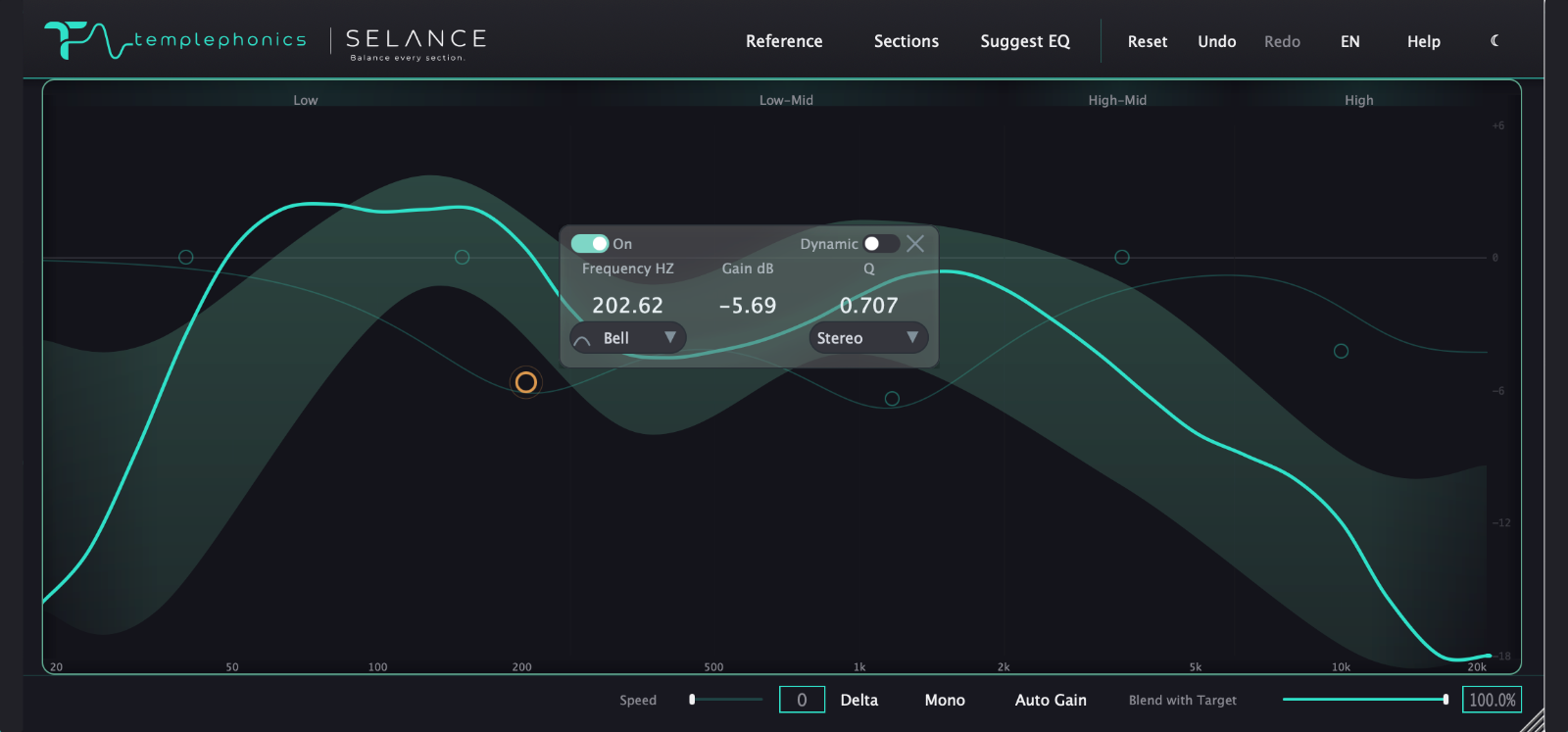
The six fixed bands match the six tonal bands of the analysis, so what you see on the graph is exactly what you shape. Each band has frequency, gain, Q, shape, slope, channel, power, dynamic range and solo — all from its node or its floating panel.
Shapes
Bell for focused corrections, Low and High Shelf for tilting a whole region, High and Low Pass as the filters at the edges, and Notch for removing a single resonant peak. Where it applies, the slope runs from 6 to 48 dB per octave.
Dynamic EQ
Make Dynamic turns a band into a dynamic EQ: when the content in its frequency range gets loud, the band reduces its gain automatically, visible on the graph as a shaded area and a live marker. Perfect for a resonance that only shows up in the loudest part of the song.
Mid/Side
Every band can process Stereo, Mid or Side independently. Work the center without touching the edges, or tame the extremes without affecting the vocal — each band decides for itself.
HPF & LPF
The high-pass and low-pass filters live as diamond nodes at the graph edges. They turn on automatically as you drag them, and their slope adjusts the same way as any band. Use them to clean subsonic rumble or out-of-band noise.
A note on the midrange
A cut or boost in the mids always feels more dramatic than the same value in the lows or the air. Two real reasons: the 2–4 kHz range sits where hearing is most sensitive, and a moderately wide Q in the mids also bleeds measurably into the neighboring bands.
Mastering EQ is about balance, not effect. Most moves live between half a decibel and two — if a section needs much more, the problem is usually in the mix, not the master.